App Store Optimization (ASO) Complete Checklist & Guide

App Store Optimization (ASO) Complete Checklist & Tracker

Optimize your app store listing to increase organic installs by 30-200% | By Socialee

Why ASO Matters

Fact: 65% of all app installs come from App Store/Play Store search. If your ASO is poor, you’re losing 2 out of every 3 potential organic users.

The Opportunity: Good ASO can:

  • Increase organic installs by 30-200%
  • Reduce your overall CPI by 20-40% (organic is free)
  • Improve paid UA conversion rates by 15-30%
  • Generate 24/7 “passive” user acquisition

Based on Socialee’s mobile app clients: Apps that optimize ASO properly get 40-60% of installs organically vs 10-20% for poorly optimized apps.

ASO OPTIMIZATION CHECKLIST

✅ COMPLETION TRACKER

Mark each item as you complete it:

TaskiOSAndroidPriorityStatus
Keyword research completedHIGH 
App name optimizedHIGH 
Subtitle / Short description optimizedHIGH 
Long description writtenN/AHIGH 
Screenshots designed (all sizes)HIGH 
App preview video createdHIGH 
Icon A/B testedMEDIUM 
Ratings strategy implementedHIGH 
Review response processMEDIUM 
Localization (top markets)MEDIUM 
Category selection optimizedLOW 
Competitor analysis doneHIGH 


SECTION 1: Keyword Research & Optimization

iOS App Store Keywords

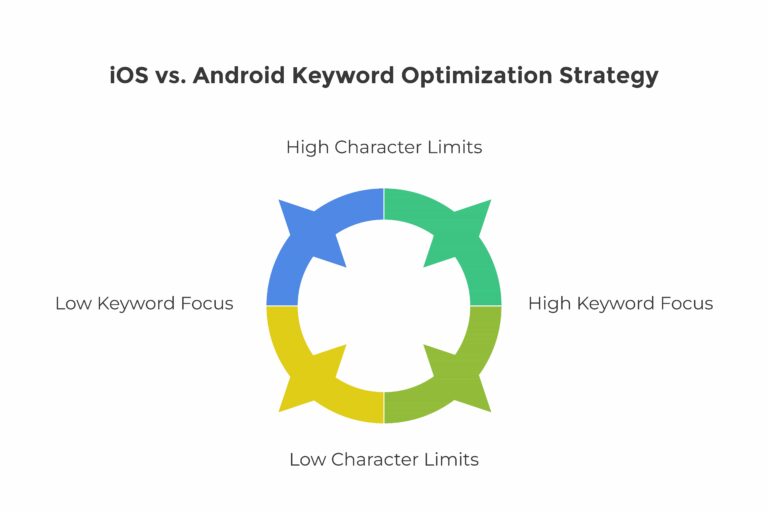
Character Limits:

  • App Name: 30 characters
  • Subtitle: 30 characters
  • Keyword Field: 100 characters (invisible to users, used for search)

Keyword Research Process:

Step 1: Brainstorm Seed Keywords List 20-30 keywords related to your app:

  • What does your app do? (function keywords)
  • What problem does it solve? (solution keywords)
  • What category is it in? (category keywords)
  • What do competitors rank for? (competitive keywords)

Example for fitness app:

workout, fitness, gym, exercise, training, weight loss, muscle, 

cardio, yoga, diet, nutrition, health, calories, home workout, 

HIIT, strength, running, cycling, meditation, wellness

Step 2: Keyword Research Tools Use these tools to find high-volume, low-competition keywords:

  • App Store Connect (Search Ads popularity score)
  • Sensor Tower
  • AppTweak
  • Mobile Action
  • SearchMan

Keyword Scoring Matrix:

Keyword Search Volume Competition Relevance Difficulty Priority Score
workout app High (9/10) High (8/10) High (10/10) Hard 27/30
home fitness Med (6/10) Low (3/10) High (10/10) Easy 19/30 (GOOD!)
gym tracker Med (7/10) Med (5/10) High (10/10) Med 22/30
exercise plan Med (6/10) Low (4/10) High (9/10) Easy 19/30 (GOOD!)

Formula: Priority Score = Search Volume + (10 – Competition) + Relevance
Target: Focus on keywords scoring 18+ (sweet spot = high volume, low competition)

Step 3: Keyword Placement Strategy

iOS Optimization:

App Name (30 chars): Include 1-2 primary keywords

  • ❌ Bad: “FitPro” (no keywords)
  • ✅ Good: “FitPro: Home Workout & Gym”
  • ✅ Better: “FitPro: Workout Planner”

Subtitle (30 chars): Include 2-3 secondary keywords

  • ❌ Bad: “Get fit fast!”
  • ✅ Good: “Fitness Tracker & Diet Plan”

Keyword Field (100 chars): Pack with relevant keywords, NO SPACES between commas

  • Format: keyword1,keyword2,keyword3
  • Don’t repeat keywords already in name/subtitle
  • Focus on long-tail keywords here

Example Keyword Field:

Exercise, training, muscle, cardio, yoga, calories, HIIT, strength,

Running, cycling, meditation, wellness, bodyweight, abs, legs

Pro Tips:

  • Don’t waste characters on spaces, “and”, “the”, “app”
  • Singular/plural forms rank for both (just use one)
  • Test different keyword combinations quarterly
  • Track rankings with ASO tools

Android Play Store Keywords

Character Limits:

  • App Name: 50 characters
  • Short Description: 80 characters
  • Long Description: 4000 characters (THIS is where Android keywords matter)

Android Optimization Strategy:

App Title (50 chars): Include primary keywords

Example: FitPro – Home Workout & Fitness Tracker App

Short Description (80 chars): Hook + keywords

Example: Build muscle & lose weight with personalized workout plans & diet tracking

Long Description (4000 chars): THIS IS CRITICAL FOR ANDROID

Structure:

  1. Opening Hook (First 3 lines): Most important – shows before “Read More”
  2. Feature List: Bullet points with keywords
  3. Benefits Section: How app helps users (keyword-rich)
  4. Social Proof: User testimonials, download numbers
  5. Call to Action: Download encouragement

Keyword Density:

  • Target keyword: 3-5 times
  • Secondary keywords: 2-3 times each
  • Don’t keyword stuff (reads awkwardly)

Example Long Description Structure:

[HOOK – First 3 lines visible]

Get fit at home with FitPro – the #1 workout app for building muscle and losing weight. 

Over 1M+ downloads! Personalized fitness plans, 500+ exercises, and nutrition tracking. 

Start your fitness journey today – no gym required.

[FEATURES – Keyword-rich]

🏋️ 500+ HOME WORKOUT EXERCISES

  • Bodyweight workouts for all fitness levels
  • Gym equipment exercises for strength training
  • HIIT cardio routines for weight loss
  • Yoga and stretching for flexibility

💪 PERSONALIZED FITNESS PLANS

  • Custom workout programs based on your goals
  • Muscle building routines
  • Weight loss programs with calorie tracking
  • Beginner to advanced training plans

[Continue with 6-8 more sections…]

[SOCIAL PROOF]

“Best workout app I’ve used! Lost 15kg in 3 months” – Rahul, Mumbai

“Finally found a fitness app that works” – Priya, Delhi

[CTA]

Download FitPro now and start your fitness transformation!

Android Keyword Placement Checklist: 

☐ Target keyword in first 3 lines 

☐ Target keyword in at least 2 section headers 

☐ 10+ secondary keywords throughout description 

☐ Natural reading (not stuffed) 

☐ Emoji for visual appeal (increases CTR) 

☐ Localized for major markets (Hindi, Tamil, etc.)
SECTION 2: Visual Assets Optimization

App Icon

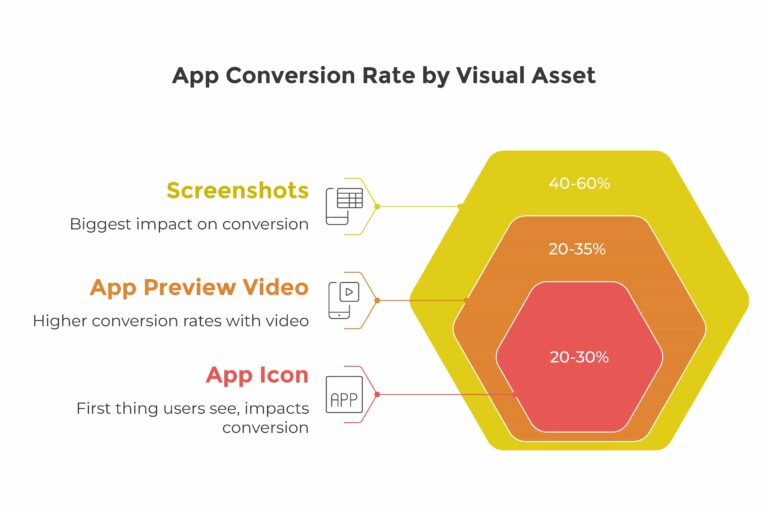
Importance: Icon is the FIRST thing users see. Can impact conversion by 20-30%.

Icon Design Checklist: 

☐ Instantly recognizable at small sizes (test at 64x64px) 

☐ Clear, simple design (not cluttered) 

☐ Bold colours that stand out 

☐ Represents app function/category 

☐ Different from direct competitors 

☐ Readable on both light and dark backgrounds 

☐ No text (or minimal, large text only)

A/B Testing: Create 3-5 icon variations and test:

  • Different color schemes
  • Different symbols/imagery
  • With/without text
  • Flat vs 3D style

Tools: App Store Connect (iOS) and Google Play Console (Android) both offer A/B testing

Example Test:

  • Variant A: Blue dumbbell icon
  • Variant B: Red heart with pulse icon
  • Variant C: Green figure doing exercise
  • Measure: Conversion rate improvement

Benchmark: Good icon tests show 5-15% conversion improvement

Screenshots

Most Important Asset: Screenshots have the biggest impact on conversion (40-60% of decision).

iOS Screenshot Sizes Needed:

  • iPhone 6.7″ (iPhone 14 Pro Max): 1290 x 2796
  • iPhone 6.5″ (iPhone XS Max): 1242 x 2688
  • iPhone 5.5″ (iPhone 8 Plus): 1242 x 2208
  • iPad Pro 12.9″: 2048 x 2732

Android Screenshot Sizes:

  • Phone: 1080 x 1920 minimum
  • 7″ Tablet: 1200 x 1920
  • 10″ Tablet: 1920 x 2560

Screenshot Strategy (First 3 Screens are CRITICAL):

Screen 1: VALUE PROPOSITION

  • What does the app do?
  • Main benefit in BIG text
  • Show key feature
  • Example: “Build Muscle at Home – No Equipment Needed”

Screen 2: KEY FEATURE

  • Your #1 differentiator
  • Visual demonstration
  • Example: “500+ HD Video Workouts”

Screen 3: SOCIAL PROOF

  • User testimonials
  • Star rating (if good)
  • Download numbers
  • Example: “Loved by 1M+ Users ⭐⭐⭐⭐⭐ 4.8/5”

Screens 4-8: Additional Features

  • Workout library
  • Progress tracking
  • Personalization
  • Nutrition tracking
  • Community features

Screenshot Design Elements: 

☐ Bright, attention-grabbing colours 

☐ Large, readable text (test on phone) 

☐ Minimal text per screen (5-8 words max) 

☐ Show actual app UI (not just graphics) 

☐ Use device frames (makes it look real) 

☐ Directional cues (arrows, highlights) 

☐ Consistent branding across all screens 

☐ Localized text for each market

Pro Tip: Put text at TOP of screenshot (users only see top half before tapping)

App Preview Video

Stats: Apps with videos see 20-35% higher conversion rates.

Video Specs:

  • iOS: 15-30 seconds, Portrait orientation, Auto-plays muted
  • Android: 30 seconds – 2 minutes, Landscape/Portrait

Effective Video Structure (30 seconds):

Seconds 0-3: HOOK

  • Show main value proposition immediately
  • No logos, no intros, jump straight to benefit
  • Example: Person transforming from weak to strong

Seconds 3-15: FEATURE SHOWCASE

  • 3-4 key features (3 seconds each)
  • Show actual app UI in action
  • Text overlays explaining each feature

Seconds 15-25: PROOF/BENEFIT

  • User testimonial or result
  • Social proof (download numbers, ratings)
  • Show transformation/success

Seconds 25-30: CALL TO ACTION

  • “Download Now” or “Start Free Trial”
  • Final benefit statement

Video Checklist: 

☐ No sound needed (auto-plays muted) 

☐ Captions/text for all key points 

☐ Fast-paced (hold attention) 

☐ Shows actual app usage 

☐ Clear benefit within 3 seconds 

☐ Optimized for mobile viewing (large elements) 

☐ Strong CTA at the end

SECTION 3: Ratings & Reviews Strategy

Why Ratings Matter

Critical Threshold: Apps below 4.0 stars see 50%+ drop in conversion.

Rating Distribution Impact:

  • 4.5-5.0 stars: Excellent conversion
  • 4.0-4.5 stars: Good conversion
  • 3.5-4.0 stars: Conversion suffers significantly
  • Below 3.5: Severe conversion problems

Rating Generation Strategy

In-App Rating Prompt:

When to Ask (CRITICAL): 

✅ After positive experience (completed level, finished workout, achievement) 

✅ After 3-7 days of usage (user has formed opinion) 

✅ After key value delivered (not on first open!) 

✅ Limit to 3 requests per year per user (iOS enforces this)

❌ Don’t ask:

  • On first app open (too soon)
  • After negative event (crash, error)
  • During onboarding
  • Too frequently (annoys users)

iOS Implementation:

import StoreKit

SKStoreReviewController.requestReview()

Android Implementation:

val manager = ReviewManagerFactory.create(context)

val request = manager.requestReviewFlow()

Pre-Filtering Strategy (Controversial but Effective):

Before showing store rating, ask in-app first:

  • “Are you enjoying FitPro?” → Yes/No
  • If YES → Show store rating prompt
  • If NO → Show feedback form (capture feedback, fix issues, ask again later)

This ensures happier users rate you publicly while unhappy users give private feedback.

Review Response Strategy

RESPOND TO EVERY NEGATIVE REVIEW WITHIN 24 HOURS

Template for Negative Reviews:

Hi [Name], we’re sorry you had this experience. We’d love to make it right! 

Can you please contact us at [email] so we can resolve this for you? 

We’re constantly improving FitPro based on user feedback like yours. Thank you!

– FitPro Team

Key Elements:

  • Acknowledge the issue
  • Apologize (even if not your fault)
  • Offer solution
  • Show you’re actively improving
  • Personal sign-off

Positive Review Response:

Thank you so much for the 5-star review, [Name]! 

We’re thrilled FitPro is helping you reach your fitness goals. 

Keep crushing those workouts! 💪

– FitPro Team

Pro Tip: Responding to reviews (especially negative ones) shows potential users you care. It can actually IMPROVE conversion even if you have some bad reviews.

SECTION 4: Localization Strategy

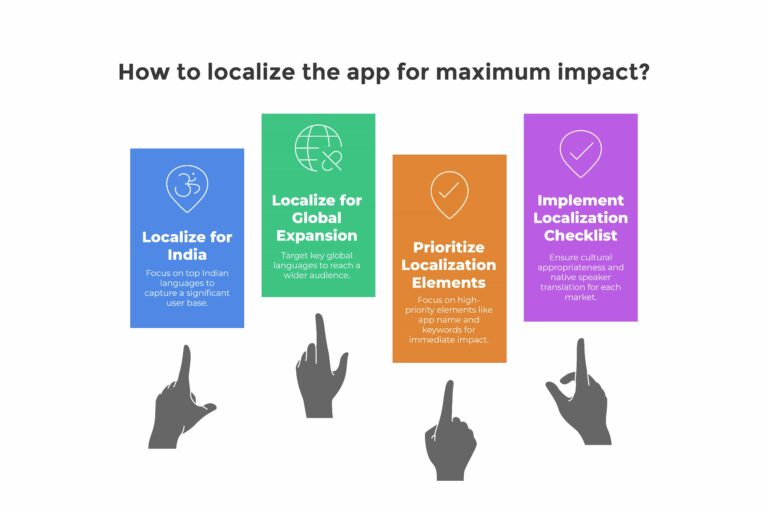
Why Localize?

Data: Localizing to top 10 languages can increase downloads by 120-150%.

Priority Markets for India-Based Apps:

  1. English (default)
  2. Hindi (27% of Indian smartphone users)
  3. Tamil (7%)
  4. Telugu (7%)
  5. Marathi (6%)
  6. Bengali (6%)

For Global Expansion:

  1. Spanish (Latin America + Spain)
  2. Portuguese (Brazil)
  3. Arabic (Middle East)
  4. Indonesian

What to Localize

High Priority: 

☐ App name 

☐ Subtitle/short description 

☐ Keywords 

☐ Screenshots (text overlays) 

☐ Long description

Medium Priority: 

☐ Video captions 

☐ Review responses

Low Priority: 

☐ In-app content (do this after ASO)

Localization Checklist per Market: 

☐ Native speaker translation (not Google Translate!) 

☐ Keyword research in local language 

☐ Screenshots with local text 

☐ Cultural appropriateness check 

☐ Test on device in that language 

☐ Local customer support email

SECTION 5: Category & Metadata Optimization

Choosing the Right Category

Primary Category: Choose based on ranking opportunity, not just what fits best.

Strategy:

  1. Check competitor rankings in different categories
  2. Choose category where you can rank in Top 100 (visibility)
  3. Sometimes a “worse fit” category with less competition is better

Example:

  • Fitness app could be in:
  • Health & Fitness (very competitive)
  • Lifestyle (less competitive)
  • Sports (even less competitive)

Test different categories quarterly – you can change this!

Age Rating

Be Honest But Strategic:

  • Lower age rating = larger potential audience
  • But must be accurate (apps get rejected for lying)

Common Ratings:

  • 4+: Kids apps, simple utilities
  • 9+: Most apps (some mild content)
  • 12+: Social apps, news
  • 17+: Dating, gambling, mature content

SECTION 6: Competitive Analysis

Competitor ASO Audit

Identify 5 Direct Competitors:

  1. Similar functionality
  2. Same target audience
  3. Ranked in top 100 for your keywords

For Each Competitor, Analyze:

Metric

Competitor 1

Competitor 2

Competitor 3

Your App

App Name Keywords


Subtitle / Short Desc Keywords


Ratings (average)


# of Ratings


Screenshot Strategy


Has Video?


Icon Style


Keywords Ranking For


Estimated Monthly Installs


Tools to Use:

  • Sensor Tower
  • App Annie / data.ai
  • AppTweak
  • SearchMan

Gap Analysis

Find opportunities:

  • Keywords competitors rank for that you don’t
  • Keywords with high volume, low competition
  • Screenshot strategies working for them
  • Features they highlight that you should too

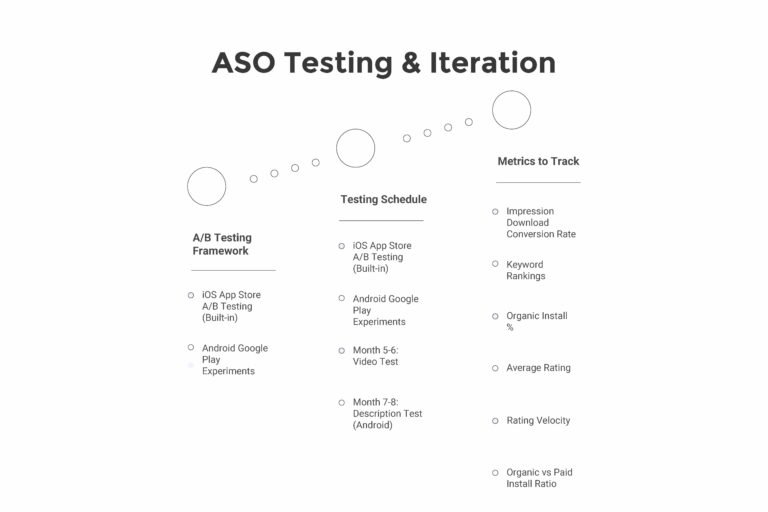
SECTION 7: ASO Testing & Iteration

A/B Testing Framework

iOS App Store A/B Testing (Built-in): Can test:

  • App icon
  • Screenshots
  • App preview videos

Android Google Play Experiments: Can test:

  • Icon
  • Feature graphic
  • Screenshots
  • Short description
  • Long description (if feature is enabled)

Testing Schedule

Month 1-2: Icon Test

  • Create 3 variations
  • Run for 2-4 weeks
  • Pick winner

Month 3-4: Screenshot Test

  • Test first 3 screenshots
  • Try different messaging/order
  • Measure conversion lift

Month 5-6: Video Test

  • Test video vs no video
  • Try different video hooks

Month 7-8: Description Test (Android)

  • Test different benefit positioning
  • Keyword variations

Metrics to Track

Metric

How to Track

Target

Impression → Download Conversion Rate

App Store Connect / Play Console

iOS: 3–8%, Android: 5–12%

Keyword Rankings

ASO tools (e.g., Sensor Tower)

Top 10 for primary keywords

Organic Install %

Attribution tool

40–60% of total installs

Average Rating

Store dashboards

4.3+ stars

Rating Velocity

New ratings per day

Consistent flow (20+ / day for scaled apps)

Organic vs Paid Install Ratio

Attribution

1:1 or better (50%+ organic)

SECTION 8: Common ASO Mistakes to Avoid

❌ Mistakes That Kill ASO

  1. Keyword Stuffing
  • Bad: “fitness workout gym exercise app for fitness enthusiasts who want to workout at gym or home for fitness”
  • Impact: Reads poorly, hurts conversion
  1. Generic App Name
  • Bad: “FitPro” (no keywords)
  • Better: “FitPro – Home Workout App”
  • Best: “FitPro: Home Workout & Gym”
  1. Not Localizing
  • Missing 120-150% potential installs by ignoring local markets
  1. Ignoring First 3 Screenshots
  • Putting best features in screens 5-8 (no one scrolls that far)
  1. Not Responding to Reviews
  • Looks like you don’t care (hurts trust → conversion)
  1. Never Testing
  • ASO isn’t “set and forget” – test quarterly
  1. Waiting Too Long to Ask for Rating
  • Asking on Day 1 when user hasn’t experienced value
  1. Not Tracking Rankings
  • Flying blind without knowing what keywords you rank for

SECTION 9: ASO Maintenance Schedule

Weekly Tasks

☐ Respond to all new reviews (especially negative) 

☐ Check rating (alert if drops below 4.0) 

☐ Monitor keyword rankings (top 10 keywords)

Monthly Tasks

☐ Analyze conversion rate trends 

☐ Review competitor changes 

☐ Update screenshots if needed (seasonal, new features) 

☐ Check for new keyword opportunities 

☐ Review and respond to user feedback

Quarterly Tasks

☐ Run A/B test (icon, screenshots, or video) 

☐ Keyword optimization refresh 

☐ Full competitor audit 

☐ Expand to new localized markets 

☐ Update long description with new features

ASO IMPACT: REAL NUMBERS

Based on Socialee’s Mobile App Clients:

Gaming App Case Study:

  • Before ASO optimization: 200 organic installs/day
  • After full ASO (icon, screenshots, keywords, ratings): 720 organic installs/day
  • Result: 260% increase in organic installs
  • Reduced blended CPI from ₹82 to ₹51 (organic is free, pulls average down)

Fitness App Case Study:

  • Before: Ranking #180 for “workout app”
  • Optimized keywords + screenshots + rating campaign
  • After 3 months: Ranking #12 for “workout app”
  • Result: 410% increase in organic installs

Key Insight: Good ASO can provide 40-60% of your installs for FREE while also improving paid UA conversion rates by 15-30%.

DOWNLOAD & USE

This checklist should be reviewed quarterly. ASO is not one-time – it’s ongoing optimization.

Priority Order:

  1. Fix basics (name, keywords, screenshots) – Week 1-2
  2. Improve ratings (in-app prompts, response strategy) – Ongoing
  3. Add video (if conversion <5%) – Week 3-4
  4. Localize to top markets – Month 2-3
  5. Run A/B tests – Quarterly
  6. Monitor competitors – Monthly

Need help optimizing your app store presence? Socialee has improved organic installs for gaming apps and consumer apps by 100-300% through comprehensive ASO optimization.

Template created by Socialee | Mobile App Marketing Specialists
Based on ASO work with 20+ mobile apps across gaming, utility, and consumer categories

Get in touch with us for
Digital Marketing Services

9033131093

available from 10:00 – 18:00

Ahmedabad  |  Surat  |  Vadodara

available from 10:00 – 18:00

Ahmedabad  |  Surat  |  Vadodara